
Why a Watch Charging Routine Works Better Than a Bigger Battery
Protect the watch time you use by placing short charging breaks around routines you already have.
In this article
- Put the important hours on paper
- Put the dock somewhere your routine visits
- Find what interrupts charging
- Decide whether the battery is actually the problem
- Work backward from the interval without an outlet
- Check the entire charging path on a travel morning
- Use a battery limit with a known departure time in mind
- Compare workloads before blaming battery age
- Choose a routine you will remember on the inconvenient day
An activity watch can spend half the morning on the charger because its owner forgot to put it on again. Another watch can carry less battery on paper and still cover the useful hours because it goes on its dock whenever its owner showers or eats breakfast. Decide which hours deserve continuous wear before comparing battery claims.
Put the important hours on paper
Pick three things you use the watch for: perhaps a wake alarm, timers away from the kitchen or directions on a walk. Write down when each happens. A person who uses overnight features has very different requirements from someone who removes the watch at bedtime. An always-on display, long navigation and calls can also create periods of faster drain.
Record what you did on two ordinary days. Use the same charging setup both times and keep rough notes of percentages before and after major events. A record that says 68 percent before a long outing and 39 percent afterwards is more useful for planning the next outing than an average covering an unspecified mix of tasks.
Put the dock somewhere your routine visits
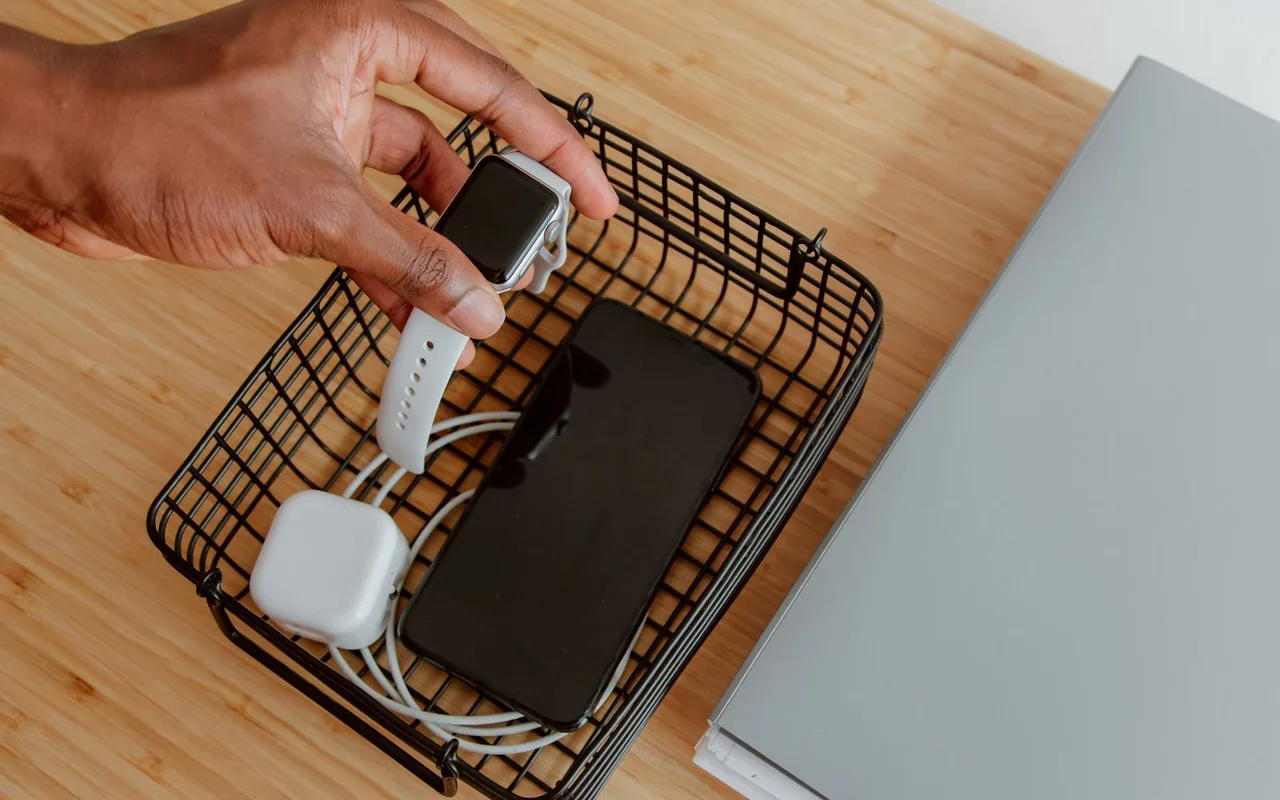
Look for a stable place where the dock can remain dry, and use a compatible charger and cable. Some docks look alike but support different watch charging systems. Check charging has actually started before walking away. If the charger is behind the bed and the natural time to take the watch off is while changing in another room, the placement creates a small extra task every day.
Think about the return path. Put the watch beside something you will pick up on the way out, such as keys on a dry shelf. A short break with a return cue can beat a longer charge that ends while you are already outside. On travel days, put a compatible charging puck in a distinct pocket and ensure your wall charger has enough usable ports for the rest of your devices.
Find what interrupts charging
Check that a bulky case or stiff band does not lift the back off the charging surface. A warm watch may reduce charging speed to protect its battery. A loose USB connector can cause repeated charging notifications. Verify one cause at a time, preserving the original setup long enough to compare it with any replacement.
Decide whether the battery is actually the problem
Consider a service check if the watch consistently loses much more charge on comparable days, especially if it warms unexpectedly or shuts down despite showing a meaningful remaining percentage. Manufacturer diagnostics and repair policies vary. If the watch still covers all your important hours after a small routine change, battery-life marketing becomes less important than comfort, controls and ongoing software support.
Work backward from the interval without an outlet
Assume a watch shows 82 percent when its owner leaves for work at 8:00. On a comparable day it used about 17 percentage points by the time they left the office, another 22 during a long walk with directions active and call notifications enabled, and 14 between dinner and the next morning. In that example the display will be around 29 percent at breakfast, assuming similar use and conditions. The average across the day is less useful than knowing the trip after work is normally the largest single expense and the next charging opportunity comes after the overnight interval.
The same owner could move a short charging session to the hour between arriving home and dinner, when they often remove the watch anyway. Pick a reserve they find comfortable and compare actual arrivals against it for a few days. If the watch returns from the walk close to the reserve, an afternoon top-up on the longer route days may be a better fit. Charging to 100 percent every time can keep the watch off the wrist for the slow final portion. Find the minimum useful session from a few measured examples instead of assuming each percentage point takes the same time.
An hourly calculation is still an approximation. Consumer battery indicators are estimates, and a percentage point does not represent an identical amount of time across different loads, temperatures and battery ages. If several days of real use agree that the watch arrives with roughly enough reserve, a single late-night battery result is reason to look at what changed. It is evidence about that day, and it becomes more meaningful if it happens again.
Check the entire charging path on a travel morning
A watch that reaches 55 percent before your shower might make it to 70 percent by the time you leave the house. The same watch might gain less when its charging puck shares a travel adapter with a phone and another device. Some adapters allocate different limits to different port combinations. Some packs turn off when a small accessory draws very little current. A desk puck that sits flat when the band is open may wobble when the band has been buckled around a stand.
Put the intended travel setup on a table and connect the devices in the order you normally would. Read the watch shortly after placing it on the puck, then again after ten minutes. If no charge arrived, move the same puck and cable to a known suitable adapter. If that fixes the problem, test the original combination again with only the watch attached. Leaving a watch connected to a puck after the first battery animation is a useful test because the setup has to continue working after the initial moment of contact.
Apple's fast-charge documentation is a useful example of why the chain matters. It specifies supported watch models, charging cable and power adapter combinations. Temperature, active use and the first charge after pairing can affect the time. Its charge speed page also explains when a Slow Charger message can appear on supported software. If you use another watch model, use that manufacturer's cable, port and temperature guidance. Two pucks with visually similar connectors can have different requirements.
Use a battery limit with a known departure time in mind
Some watches learn a charging pattern or stop below 100 percent to reduce the time spent at a high state of charge. Apple distinguishes Optimised Battery Charging from Optimised Charge Limit and documents differences across watch models. An evening stop below full can be expected, especially when a watch predicts it will stay on the dock. Read the charge screen or settings after you place the watch there. A setting that deliberately limits charge is a different condition from a dock that loses contact when nobody is looking.
Think of a departure at 5:00 in the morning. The watch may expect to come off the puck at 8:00. Check the maker's instructions for a one-time full charge if your model offers it and if they fit the trip. For a normal workday it may be easier to leave the limit alone and plan a few minutes of charging earlier. Over several days the result you care about is whether the watch is available at the times you actually use it. A charge history that reflects the same schedules you follow makes this easier to judge.
Compare workloads before blaming battery age
An increase in use can come from several places at once. A long workout may use location services and regular display checks. A watch away from its companion phone may take a different connection path. A newly installed app can add notifications, and a software update may briefly be followed by background activity. Record the types of activity and obvious changes when one day seems unusually demanding. The information in a watch's own battery view differs by model and software release, so compare what that view can actually tell you.
If a job changes, adapt the test to the new hours. A person spending three days in a building with the companion phone often on another floor may be better served by charging during a quiet desk break. Someone taking walks with downloaded audio may choose an alarm or reminder for the moment they put everything on the charger on return. Those routines change the longest untethered interval without asking everyone to turn off the features they use.
An approved replacement or service can be a reasonable decision when charge drops steeply on ordinary days even with a known good dock. Prepare trustworthy notes for support. Include a rough battery timeline, what was enabled, whether the watch was in a hot or cold location and whether any battery diagnostics report degradation. If the casing bulges or the watch becomes unusually hot, stop using it and follow the manufacturer's service instructions. Routine battery-log comparisons apply to otherwise sound hardware.
Choose a routine you will remember on the inconvenient day
When the dock stays at home, the station matters more than aspirational charging habits. A predictable fifteen-minute break after breakfast can be more useful than an hour available only on an ideal evening. For people who wear a watch overnight, a short session before bed leaves the morning available for departure. For people who remove it at bedtime, pairing charge with a morning action may make it easier to put it back on. Revisit the routine when working hours or the trip to work changes, because timing is part of capacity in daily use.
If two people charge similar watches in the same place, give each one a stable resting spot and keep the cable appropriate to the watch at that station. A label underneath a charger can be enough, especially when the two watches have different supported charge speeds. Check that either hand can place the watch on the puck without pulling a cable taut. If it takes both hands to bend the strap around a mount every morning, convenient placement may matter more than the design of the stand.